


 CARM & Import Compliance
The CARM Setup at a Glance
CARM is the Canada Border Services Agency's system for commercial import accounting, duties and taxes, importer account management, broker delegation, and Release Prior to Payment. For most commercial importers, the setup process involves:
- Portal access
- Register or link the business
- BN and RM account
- User permissions
- Broker delegation
- RPP enrollment
- Verify before shipping
Businesses should complete this process before goods are approaching the Canadian border. Problems with an importer account, broker delegation, or RPP status can prevent the normal electronic release of a commercial shipment.
What Is CARM?
The CBSA Assessment and Revenue Management system, commonly called CARM, is the primary environment used by CBSA to administer accounting and payments for commercial imports into Canada. Commercial importers use CARM to manage matters such as:
- Importer account information
- Commercial Accounting Declarations
- Duties and taxes
- Statements of Account
- Payments to CBSA
- Broker delegation
- Release Prior to Payment
- Financial security
- User access and permissions
Businesses unfamiliar with the system can start with our guide explaining What CARM Is and How It Works in Canada. Our broader CARM & Import Compliance resource centre also covers the major account and compliance requirements affecting commercial importers.
Do Commercial Importers Need to Register for CARM?
Commercial importers need to establish the appropriate CARM business and importer account arrangements to manage commercial import activity with CBSA. Using a customs broker does not eliminate this responsibility.
A business that appoints a licensed customs broker still needs to establish its importer account and provide the appropriate delegation of authority before the broker can perform applicable customs functions on its behalf.
This is an important change from the idea that a business can simply provide documents to a broker and have the broker handle every aspect of importer registration independently. CARM places more of the account administration directly with the importer.
Businesses should therefore treat CARM onboarding as part of establishing a proper commercial importing program in Canada.
What Do You Need Before Registering for CARM?
The exact starting point depends on whether the business already has Canadian business and import-export program accounts. Useful information may include:
- Legal business name
- Business address
- Business contact information
- Existing Business Number, if applicable
- Existing RM import-export program account, if applicable
- Authorized company representative
- Access to company information required for validation
- Existing customs transaction information where required
- GCKey or eligible Sign-In Partner credentials
Businesses should make sure the information entered into CARM matches the information associated with the company. Differences in names, addresses, account numbers, or other registration information can create problems during account linking and validation.
Steps for Registering for CARM
Access the CARM Client Portal
The first step is to access the CARM Client Portal. Users can sign in using an eligible Sign-In Partner or a Government of Canada GCKey. During initial setup, the user may need to:
- Establish sign-in credentials
- Complete multi-factor authentication
- Create an individual user profile
- Enter contact information
- Complete the first-time setup process
CARM distinguishes between the individual user and the business account. Creating an individual portal profile does not by itself complete the registration of the importing business. The user must then register the business or request access to an existing business account.
Register or link the business
Once the individual profile has been established, the next step is connecting that person to the appropriate business. An authorized person establishing the company within CARM can register the business account.
Other employees may request access after the business has been established and can be granted appropriate permissions by an authorized account manager.
Businesses that already have an importer account should make sure they are linking to the correct Business Number and RM program account. This is particularly important for companies with multiple corporations, divisions, or RM accounts. The customs activity reported under one legal entity should not accidentally be associated with another company's importer account.
Establish your Business Number and RM import account
Canadian commercial importers use a Business Number, commonly called a BN, together with an RM import-export program account. The resulting account is often referred to as a BN15 because it combines the nine-digit Business Number with the applicable six-character program identifier, for example 123456789RM0001. The first nine digits identify the business. The RM portion identifies the import-export program account associated with that business.
Resident Canadian businesses that do not yet have the required BN and RM arrangements may be able to establish them as part of the CARM registration process. Non-resident businesses can have different Business Number registration requirements and should confirm the appropriate process before attempting to establish their importer account.
Our guide to Business Numbers and RM import accounts in Canada explains this part of the onboarding process in greater detail.
Set up account access and permissions
Once the business account is available, access should be assigned carefully. Not every employee needs the same level of control. CARM allows businesses to manage users and permissions so that appropriate personnel can perform the functions required for their roles. A Business Account Manager or other appropriately authorized account user may be responsible for functions such as:
- Managing access
- Approving users
- Reviewing account information
- Managing business relationships
- Delegating authority
- Monitoring account activity
- Reviewing financial and customs information
Businesses should avoid giving broad account permissions unnecessarily. At the same time, relying on only one person without any internal backup can create operational problems when that individual is unavailable.
Delegate authority to your customs broker
Registering in CARM does not automatically authorize a customs broker to act for the business. The importer needs to establish the appropriate business relationship and delegation within the CARM Client Portal. This allows the broker to perform the customs functions authorized by the importer.
For a business appointing Garden City Customs Services Inc., the importer must establish the appropriate delegation to Garden City within CARM before normal brokerage activity can proceed.
Using a licensed Canadian customs broker can reduce the amount of customs processing a business manages internally, but the CARM business account still belongs to the importer. The importer should maintain control over its account and understand which third parties have been granted access.
Businesses evaluating whether to manage customs internally or use professional brokerage support can review Is a Customs Broker Required to Import Into Canada?
Enrol in Release Prior to Payment
CARM registration and Release Prior to Payment, or RPP, are related but they are not the same thing. RPP is the program that allows eligible importers to obtain release of commercial goods before the applicable duties and taxes are paid.
For businesses using the normal electronic release-before-payment process for recurring commercial shipments, RPP is therefore a critical part of importer onboarding. Importers that want RPP privileges must meet the applicable financial security requirements using their own importer account. They can no longer rely on their customs broker's general RPP security for ordinary commercial imports.
Our detailed guide to Release Prior to Payment in Canada explains RPP eligibility, financial security, release implications, and the difference between an importer with and without active RPP privileges.
Establish financial security for RPP
Importers seeking RPP privileges need to satisfy CBSA's financial security requirements. Depending on the account and applicable requirements, security may generally be provided through an approved financial security arrangement or a cash deposit.
The required security should be considered in relation to the importer's actual customs activity and account exposure. Businesses should not simply choose an arbitrary amount and assume the requirement is finished permanently. Import volumes, duty exposure, account activity, and other circumstances can change.
Importers should periodically review whether their financial security remains appropriate for the activity being conducted through the account. For the detailed security rules, use our RPP and financial security guide.
Verify broker delegation and account status before shipping
Completing forms in the portal does not mean the setup should be assumed correct. Before the first commercial shipment moves, the importer should verify that:
- The correct business is registered
- The appropriate RM import account is active
- Required personnel have portal access
- The customs broker has the necessary delegation
- RPP is active if release-before-payment is required
- Required financial security has been established
- Contact information is accurate
- The broker has the shipment and product information required for clearance
Once these items are confirmed, the business is in a much stronger position to begin the normal Canadian customs brokerage process.
What Happens if an Importer Does Not Have RPP?
An importer can be registered in CARM without necessarily having active RPP privileges. However, the operational difference is significant.
Importers without RPP generally cannot use the standard electronic release-before-payment options available to RPP participants. Instead, the importer may need to complete the applicable C-Type Commercial Accounting Declaration process and pay applicable duties and taxes before the goods are released.
For a company importing recurring commercial freight through a customs broker, this can materially change how the shipment is handled. Garden City therefore treats proper CARM and RPP setup as an important part of commercial importer onboarding before normal shipments begin moving.
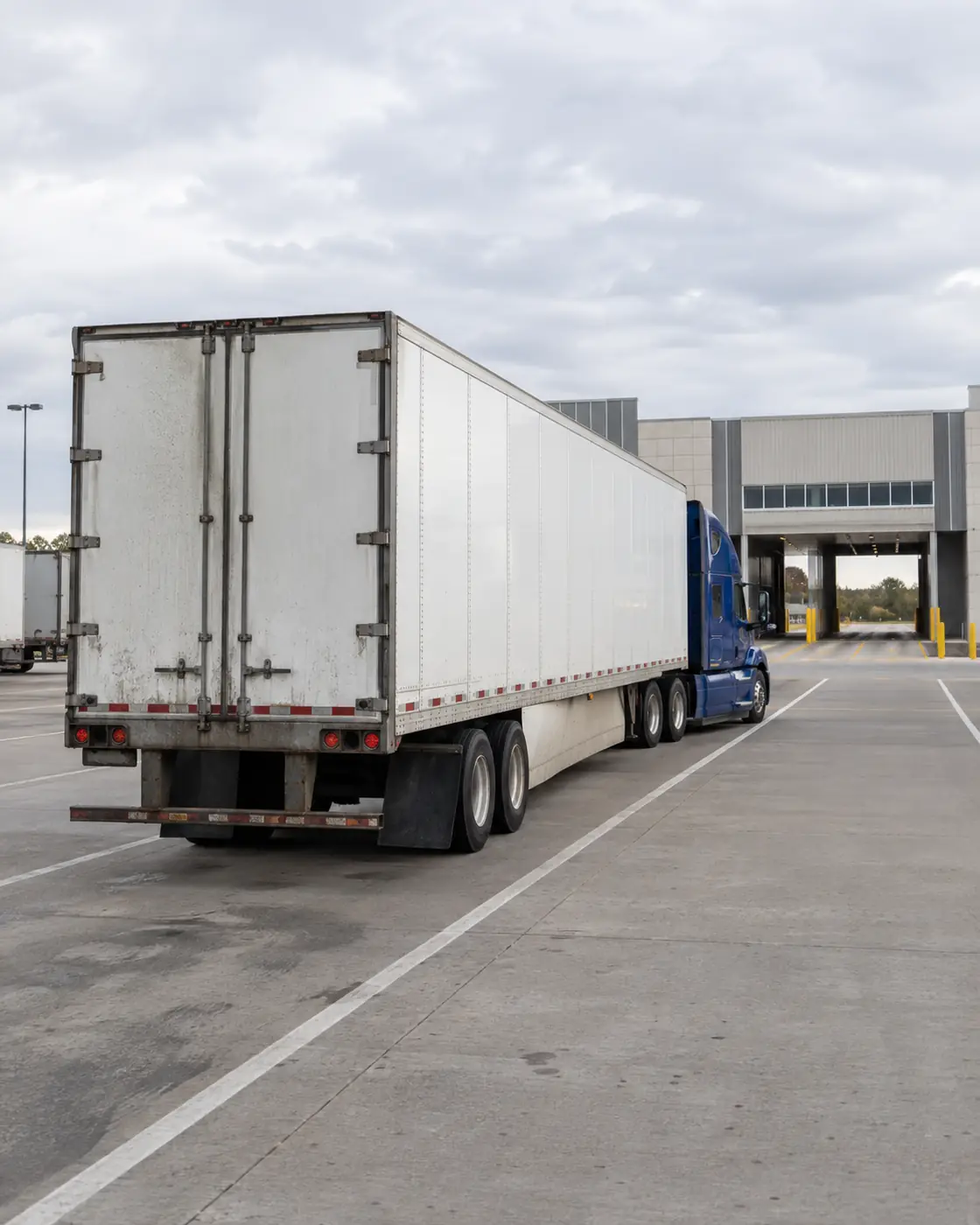
Importers should not wait until a truck is at the border to discover that RPP has not been established.
Common CARM Registration Problems
Most CARM registration problems are not caused by the concept of registration itself. They arise from incorrect or incomplete account setup. Common problems include:
- Registering the wrong legal entity
- Using an incorrect Business Number
- Linking the wrong RM program account
- Inconsistent company information
- Incomplete user permissions
- No internal Business Account Manager
- Broker delegation not completed
- Delegation granted to the wrong provider
- Assuming broker delegation automatically provides RPP
- Assuming CARM registration automatically provides RPP
- Failing to establish financial security
- Insufficient attention to importer account notifications
- Waiting until a shipment is already in transit to complete onboarding
These problems can become especially disruptive when discovered during the CBSA release process. The safest approach is to complete and verify importer onboarding before the first shipment is dispatched.
Who Is Responsible for the CARM Account?
The importer remains responsible for its own business and importer account.
A customs broker can assist with customs processing, account setup guidance, broker delegation, RPP preparation, classification, release processing, and other import requirements, but appointing a broker does not transfer the importer's underlying responsibilities to that brokerage.
Importers should maintain access to their CARM account, monitor relevant account information, and understand the customs activity conducted under their Business Number. This forms part of the broader Importer of Record responsibilities in Canada.
Do You Still Need CARM if You Use a Customs Broker?
Yes. Hiring a customs broker does not replace CARM registration for the commercial importer.
The importer establishes its business and importer account and then delegates the appropriate authority to the brokerage. The broker can then perform authorized customs functions on behalf of the business. This creates an important distinction:
CARM establishes the importer. Broker delegation authorizes the customs broker.
Both pieces need to be properly configured for a normal brokered commercial import program.
What Happens After CARM Registration?
Once onboarding is complete, the importer should continue monitoring its account rather than treating CARM registration as a one-time administrative task. Ongoing responsibilities can include:
- Reviewing Statements of Account
- Monitoring duties and taxes
- Making or coordinating payments
- Maintaining RPP financial security
- Reviewing delegated third parties
- Managing users and permissions
- Updating business information
- Monitoring Commercial Accounting Declarations
- Maintaining customs records
- Correcting errors when required
Businesses importing regularly should understand the full range of CARM requirements for commercial importers, not simply the initial registration process.
How Garden City Supports CARM Onboarding
Garden City Customs Services Inc. helps commercial importers establish the account structure required for ongoing customs clearance. Our customs team can provide guidance relating to:
- CARM onboarding
- Business Number and RM account requirements
- Broker delegation
- RPP enrollment
- Financial security requirements
- Importer account review
- Commercial customs clearance
- Tariff classification
- Duties and taxes
- Import compliance
- Recurring commercial shipments
Once Garden City has been properly delegated and the importer has established the required account privileges, our team can support the business through the ongoing customs brokerage and clearance process.
Garden City has supported commercial importers since 1981 and provides customs brokerage services for businesses importing through ports across Canada.
CARM Registration FAQ
How do I register for CARM in Canada?
Start by accessing the CARM Client Portal, establishing your individual user profile, and registering or linking the importing business. The business then needs the appropriate Business Number and RM import account, user access, broker delegation when using a customs broker, and RPP enrollment and financial security when release-before-payment privileges are required.
Can I register for CARM without a Business Number?
The process depends on the business. Resident businesses that do not already have the required Business Number and RM import-export account may be able to obtain them as part of the CARM registration process. Non-resident businesses can have different Business Number requirements and should confirm the applicable registration process before onboarding. For more detail, see Do You Need a Business Number to Import Into Canada?
Does registering for CARM automatically give me RPP?
No. CARM registration and Release Prior to Payment are separate parts of the importer setup. An importer that wants eligible commercial goods released before paying applicable duties and taxes needs to satisfy the requirements of the RPP program, including the applicable financial security requirements. Read Release Prior to Payment in Canada for the full process.
Do I need to delegate my customs broker in CARM?
Yes, when a customs broker needs to perform applicable customs functions through the importer's CARM account, the importer must establish the appropriate delegation. Registering in CARM does not automatically authorize a brokerage.
Can my customs broker register my business in CARM for me?
A customs broker can provide guidance and help the importer understand the setup process, but the business must retain control over its own account and complete the authorization required for third-party access. Garden City can guide clients through the steps required before normal brokerage operations begin.
What happens if I import without RPP?
An importer without active RPP privileges generally cannot use the normal electronic release-before-payment process. The applicable duties and taxes may need to be paid at the time of release using the required accounting process. For recurring commercial importers, establishing RPP before shipping is therefore operationally important.
This guide is general information, not legal advice. Requirements depend on your specific goods and circumstances, so please confirm details with a licensed customs broker before you ship.